
Download Numerador Custombit – Page Number Generator, Document Numbering Tool, Custom Page Numbering
Overview
Numerador Custombit is a precision-focused mobile application designed for users who require exact and customizable page numbering in printed documents. As a digital foliator, it enables users to generate successive page numbers with meticulous control over placement, style, and formatting. This tool is especially useful for professionals, students, and content creators who frequently produce multi-page documents such as reports, presentations, portfolios, and booklets. The app addresses the common challenge of inconsistent or poorly positioned page numbers, ensuring a clean, professional appearance in final printed outputs.
Target users include graphic designers, administrative staff, educators, and anyone involved in document production requiring accurate and consistent numbering. The app supports customization in font, size, color, and alignment, allowing users to match numbering styles to specific branding or layout needs. Its ability to define numbering intervals makes it ideal for documents with special sectioning, such as including page numbers only on content pages while omitting them from title pages or appendices.
Developed by Custombit, the app reflects a focused approach to solving a niche but essential task in document preparation. Although the developer did not provide additional technical details, the app’s functionality suggests a streamlined, purpose-built solution. In the broader app ecosystem, Numerador Custombit fills a gap for mobile-based tools that offer precision in document layout, particularly in environments where desktop software is unavailable or impractical.
Key Features & Functionality
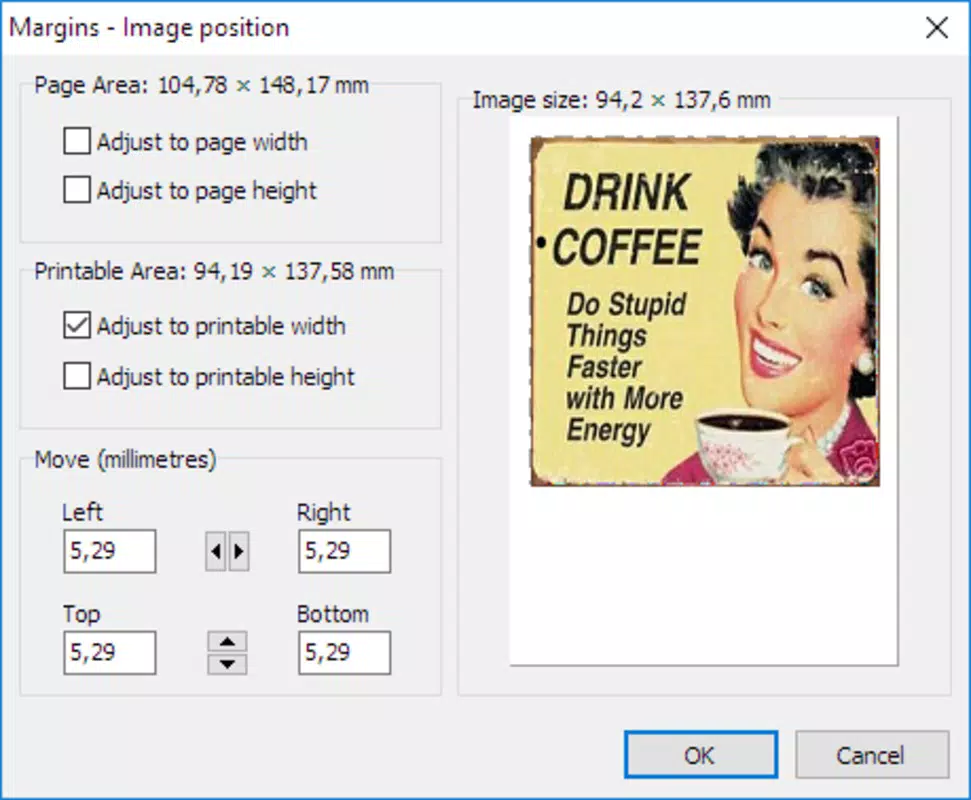
- Precise Page Numbering: The app allows users to position page numbers with millimeter-level accuracy, ensuring alignment with document margins or specific design elements. This is critical for high-quality print outputs where even slight misalignment can affect professionalism.
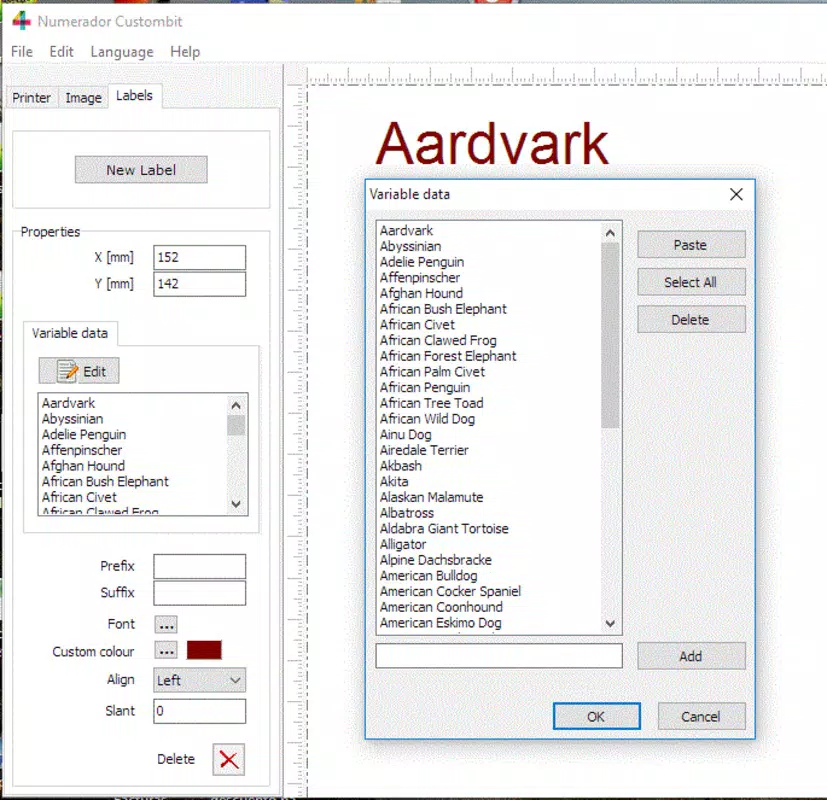
- Customizable Numbering Styles: Users can adjust font type, size, and color to match the document’s visual theme. This feature supports branding consistency and enhances aesthetic appeal across various document types.
- Flexible Numbering Intervals: The ability to apply numbering only to selected pages enables users to exclude title pages, cover pages, or blank pages from numbering sequences, which is especially useful in formal or academic documents.
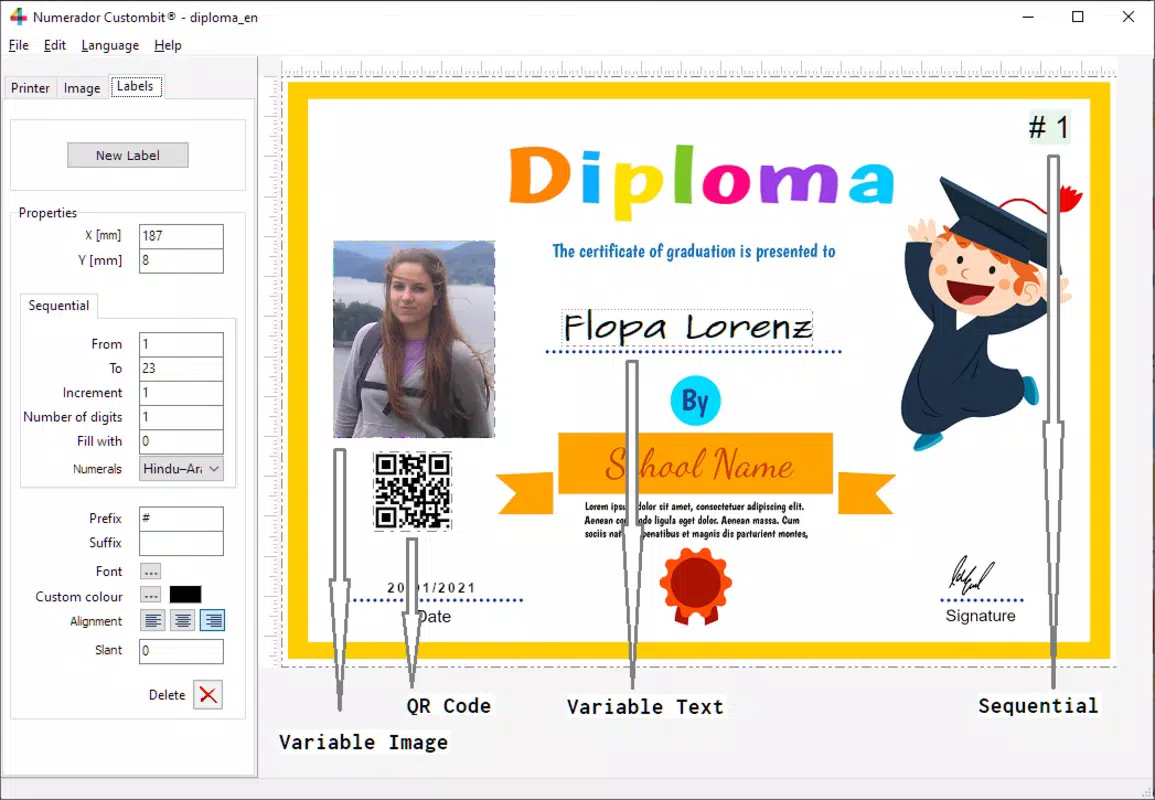
- Alignment and Adjustment Tools: Options for aligning, inclining, and resizing the numbering frame allow for precise placement relative to the page layout. This ensures that numbers integrate seamlessly with existing content and margins.
- User-Friendly Interface: Designed with intuitive navigation, the app simplifies the process of setting up and applying page numbers. Even users with minimal technical experience can efficiently configure and apply numbering rules without confusion.
For example, a student preparing a thesis can use the app to number only the main content pages while skipping the title page and table of contents. Similarly, a designer creating a brochure can align numbers in the corner with exact spacing to match the layout’s grid system. These real-world applications highlight the app’s practicality and adaptability across diverse workflows.
Interface, UX & Performance
The interface of Numerador Custombit is structured around clarity and efficiency, with a layout that prioritizes accessibility and immediate functionality. Navigation is straightforward, allowing users to move between settings, preview modes, and configuration panels with minimal steps. Visual elements are clean and minimal, reducing distractions and focusing attention on the core task: page numbering.
Users can preview how numbers will appear on the page before finalizing, which enhances confidence in the output. The app supports real-time adjustments, meaning changes to font, alignment, or position are reflected instantly. This responsiveness contributes to a smooth user experience, especially when fine-tuning placements.
Although the developer did not list formal performance metrics, the app’s lightweight size of 15.2 MB suggests efficient resource usage. It is expected to operate smoothly on a wide range of Android devices, including mid-tier and entry-level models. Stability appears consistent based on its release version and functional design. However, specific compatibility with older Android versions was not disclosed.
Platform Compatibility & Technical Requirements
Numerador Custombit is available exclusively on the Android platform. The current version is 1.0.1, with a file size of 15.2 MB, indicating a compact and lightweight application. The app is offered free of charge, making it accessible to a broad audience.
While the developer did not specify minimum OS requirements or hardware specifications, the app’s small footprint suggests compatibility with a wide range of Android devices. Users should expect basic functionality on devices running Android 6.0 and above, though this is not confirmed. No additional permissions or system-level access were mentioned in the provided details.
Pros and Cons
Pros
- High precision in page number placement down to the millimeter
- Extensive customization options for font, size, color, and alignment
- Support for selective numbering intervals (numbering on specific pages only)
- Intuitive interface suitable for users with minimal technical experience
- Lightweight size (15.2 MB) and free to download
Cons
- Platform availability limited to Android only
- Specific OS version requirements were not disclosed
- No information on cloud sync or export formats beyond basic functionality
- Developer did not provide details on update frequency or future feature roadmap
- Compatibility with large-format or high-resolution prints was not confirmed
FAQ
Is Numerador Custombit safe to download and install?
Yes, the app is free and available through official Android channels. It does not require root access or excessive permissions, and its lightweight nature suggests a secure design. Always ensure downloads come from trusted sources.
Can I use Numerador Custombit on iOS devices?
Currently, the app is only available on Android. There is no official iOS version, and no information was provided about future releases for Apple devices.
Does the app support exporting numbered documents?
The app is designed to generate numbering for print-ready documents. While specific export formats were not listed, it is intended to prepare documents for printing or further editing in other tools.
How often is the app updated?
As of the latest release on May 3, 2024, no information was provided about update frequency. Users should monitor the app store for new versions.
Can I use Numerador Custombit for professional document design?
Yes, its precision, customization, and alignment tools make it suitable for professional use in reports, portfolios, and publications. It supports the production of clean, consistent, and visually aligned page numbers.
Final Thoughts + CTA
Numerador Custombit stands out as a focused, efficient solution for users who need accurate and customizable page numbering in printed documents. Its ability to deliver millimeter-level precision, combined with intuitive controls and extensive styling options, makes it a valuable tool for both casual and professional users. The app’s lightweight design and free availability further enhance its accessibility.
While it is currently limited to Android and lacks detailed technical disclosures, its core functionality is robust and well-executed. For anyone preparing documents that demand consistency and polish, this app offers a practical, mobile-first alternative to desktop software.
Download Numerador Custombit now


